From a Mermaid flowchart
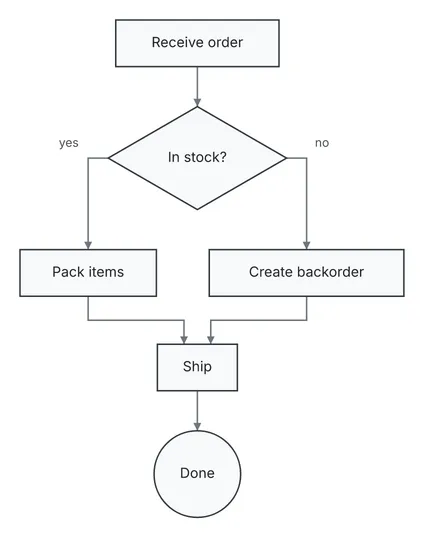
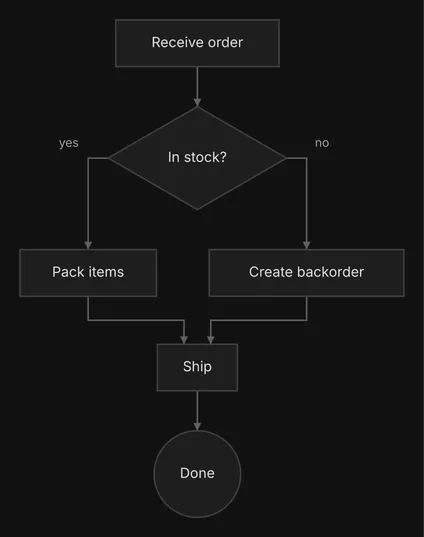
A flow diagram imported from Mermaid. An order-fulfilment flowchart written in Mermaid, imported and drawn by diago.
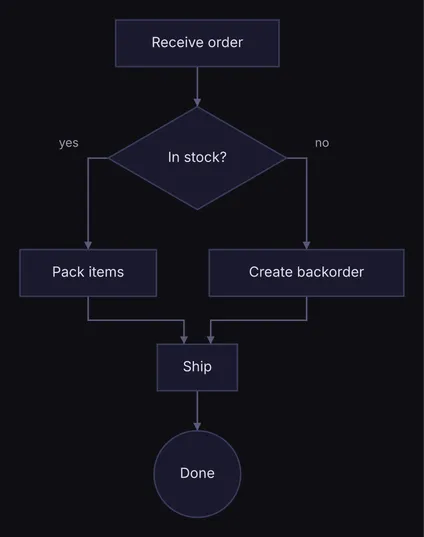
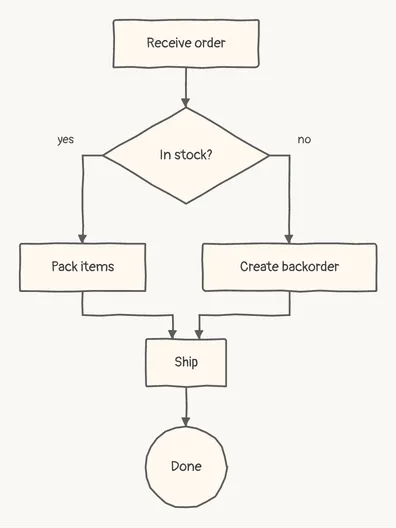
           ┌────────────────┐
           │ Receive order  │
           └────────────────┘
                    │
                    │
                    ▼
           ┌────────────────┐
           │ ◇ In stock? ◇  │
           └────────────────┘
                │ yes  │ no
                │      │
         ┌──────┘      └───────┐
         ▼                     ▼
  ┌────────────┐     ┌──────────────────┐
  │ Pack items │     │ Create backorder │
  └────────────┘     └──────────────────┘
         │                     │
         │                     │
         └────────┐  ┌─────────┘
                  ▼  ▼
                ┌──────┐
                │ Ship │
                └──────┘
                    │
                    │
                    ▼
                ╭──────╮
                │ Done │
                ╰──────╯
Spec
graph TD start[Receive order] e-start-check@--> check{In stock?} check e-check-pack@-->|yes| pack[Pack items] check e-check-backorder@-- no --> backorder[Create backorder] pack e-pack-ship@--> ship[Ship] e-ship-done@--> done((Done)) backorder e-backorder-ship@--> ship{ "type": "flow", "direction": "DOWN", "nodes": [ {"id": "start", "label": "Receive order"}, {"id": "check", "label": "In stock?", "shape": "diamond"}, {"id": "pack", "label": "Pack items"}, {"id": "backorder", "label": "Create backorder"}, {"id": "ship", "label": "Ship"}, {"id": "done", "label": "Done", "shape": "circle"} ], "edges": [ {"id": "e-start-check", "from": "start", "to": "check"}, {"id": "e-check-pack", "from": "check", "to": "pack", "label": "yes"}, {"id": "e-check-backorder", "from": "check", "to": "backorder", "label": "no"}, {"id": "e-pack-ship", "from": "pack", "to": "ship"}, {"id": "e-ship-done", "from": "ship", "to": "done"}, {"id": "e-backorder-ship", "from": "backorder", "to": "ship"} ]}Draw it yourself
diago render mermaid-flowchart.mmd > mermaid-flowchart.svgOpen it in the playground to edit it in your browser.